
myMSC FAQ | eBooking | Create new booking | Step 2: Container and Cargo
Sau khi nhấp vào Next/Tiếp theo (On clicking Next), hệ thống sẽ hiển thị cửa sổ nhập thông tin Container và Hàng hóa (by default, a window will be available seeking ‘Container and Cargo’ details). Bạn có thể điền trực tiếp các thông tin cần thiết trên màn hình này (You can directly fill the details in this screen).
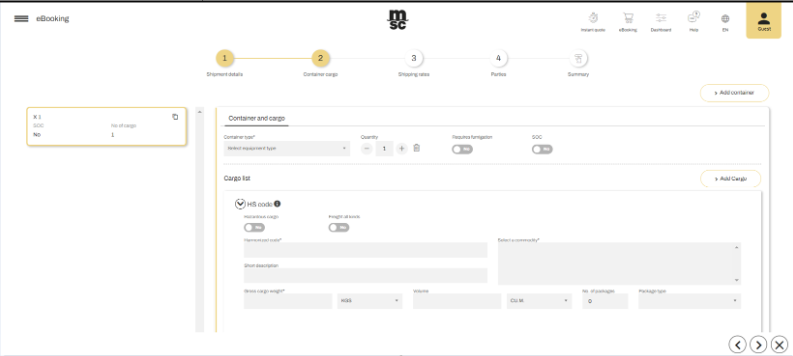
Chọn Loại thiết bị và nhập Số lượng container (Specify the ‘Equipment Type’ and ‘Quantity’ details). Nếu cần, bạn có thể bật/tắt tùy chọn Khử trùng bắt buộc (You can toggle the switch for ‘Required Fumigation’) và Container do người gửi sở hữu (and ‘Shipper Owned’ if necessary).
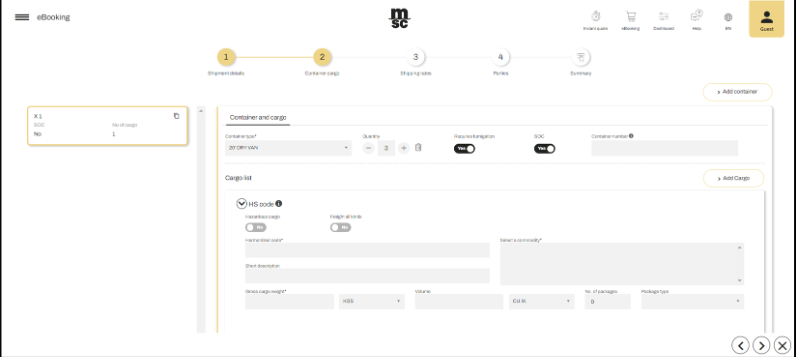
Nhập thông tin chi tiết về hàng hóa, bao gồm cả hàng Nguy hiểm và Không nguy hiểm (In the cargo section the cargo details for ‘Hazardous’ as well as ‘non-Hazardous’ cargo can be specified).
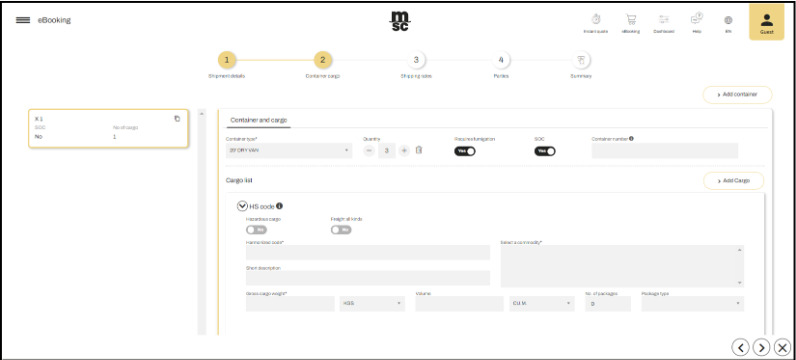
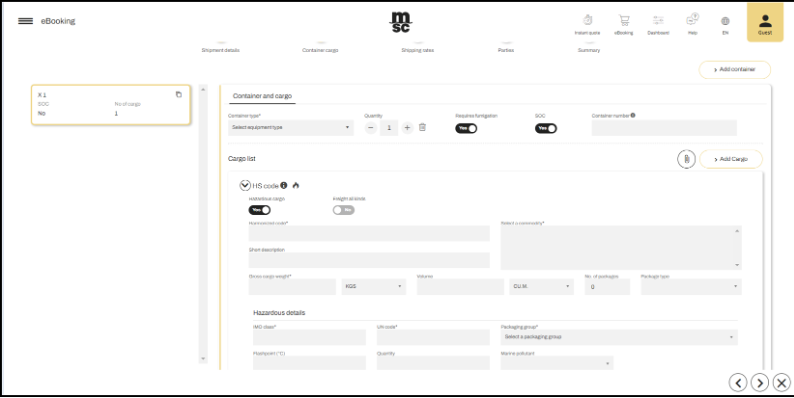
Cuộn xuống để xem thêm thông tin chi tiết (Scroll down to find more details).
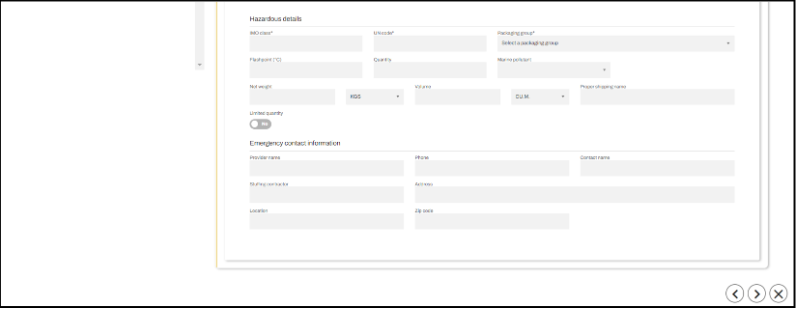
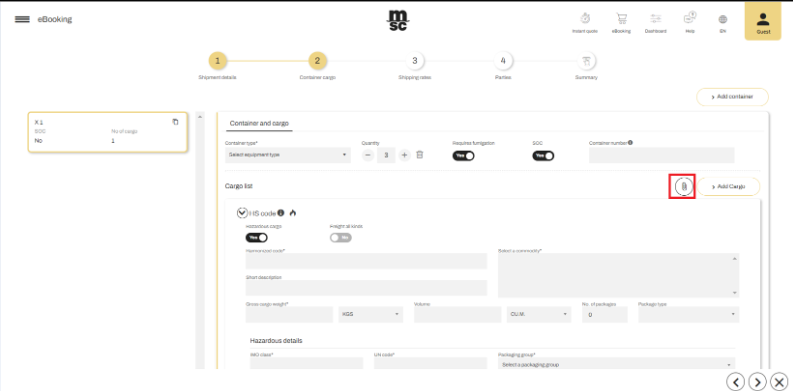
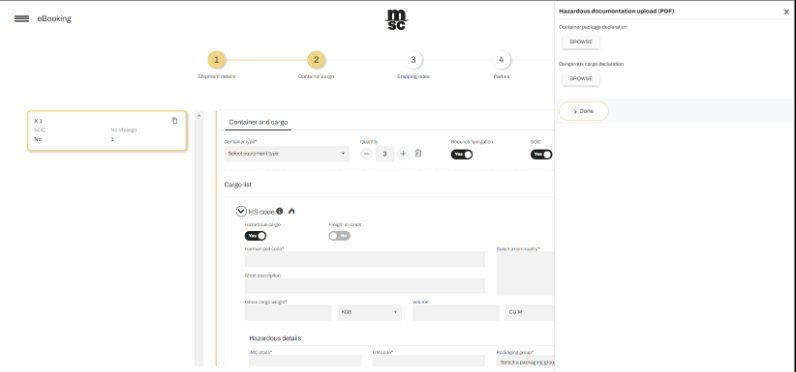
Đối với hàng nguy hiểm, nhấp vào nút Attachment/Đính kèm để tải lên các tài liệu liên quan (Click on the ‘Attachment’ button to upload any supporting documents pertaining to the hazardous cargo).
Nhấp vào nút Next/Tiếp theo để hệ thống kiểm tra và xác thực thông tin, tránh thiếu sót.
(To avoid missing information, click on the Next button to validate the information).
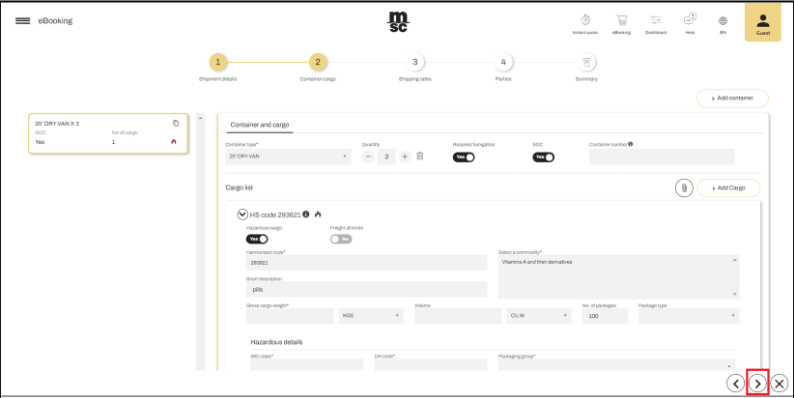
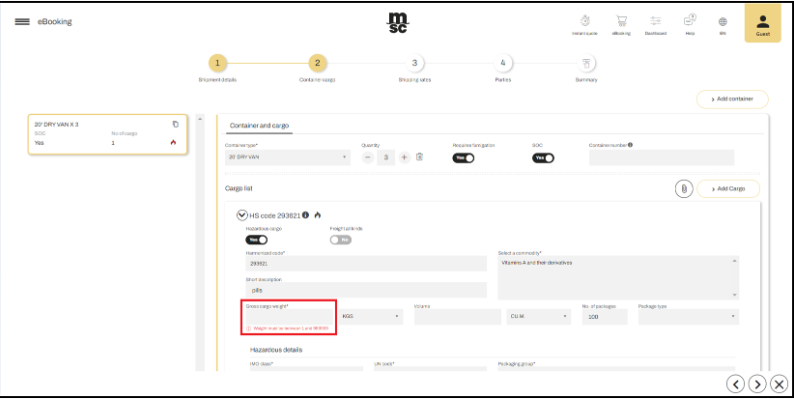
Cuộn xuống để xem thêm thông tin về hàng nguy hiểm (Scroll down to view hazardous information).
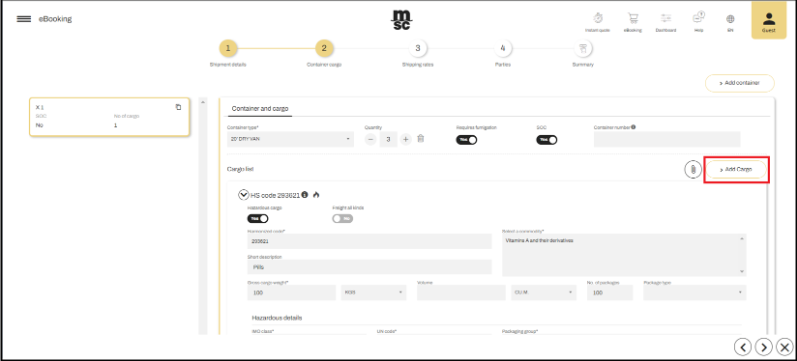
Để thêm mặt hàng khác, nhấp vào nút + Add Cargo/Thêm hàng hóa (You can also add the commodities by click on “+Add Cargo” button as highlighted in the screen below).
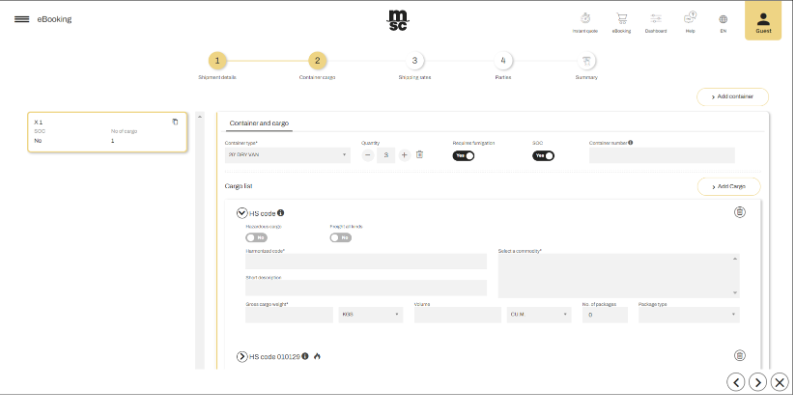
Nếu cần thêm container hoặc hàng hóa bổ sung, sử dụng tùy chọn Add Container/Thêm container (You can add other container & cargo by using the ‘add container’ option).
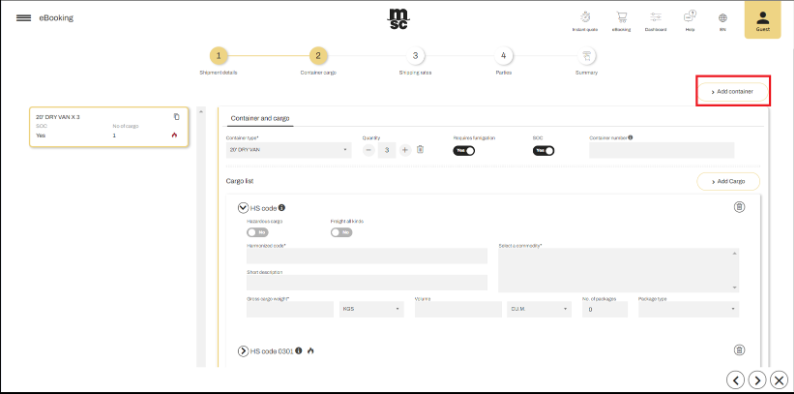
Thông tin đã nhập sẽ hiển thị bên cạnh màn hình (Your information will appear on the side).
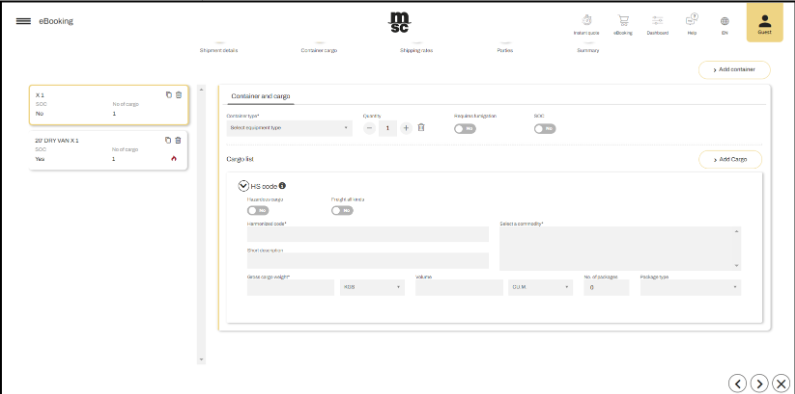
Bạn có thể chọn và chỉnh sửa trực tiếp trên giao diện hiển thị (You can change or add the details by selecting the card accordingly).
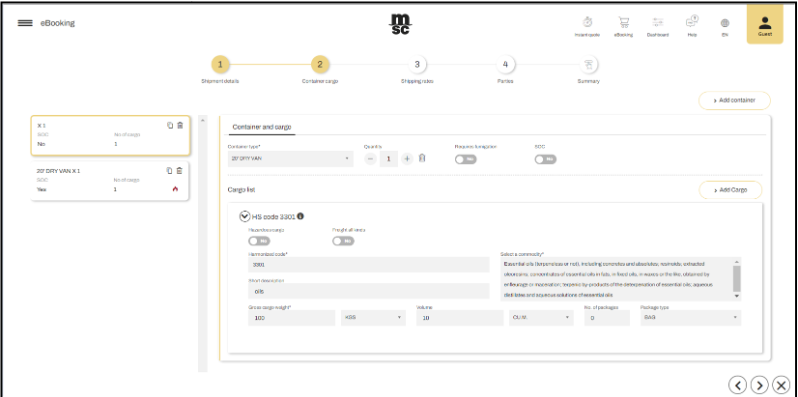
Sau khi hoàn tất, nhấp vào Next/Tiếp theo để chuyển sang bước tiếp theo. (Click’ on the ‘Next’ button to navigate to the next section).